With the latest news on upcoming concerts, exclusive behind the scenes content with musicians and so much more, there’s no better way to stay connected with your KC Symphony than through our official app. Enhance your concert experience with mobile ticketing, in-venue messaging, in-app ticket purchases and more! Click below to download today.


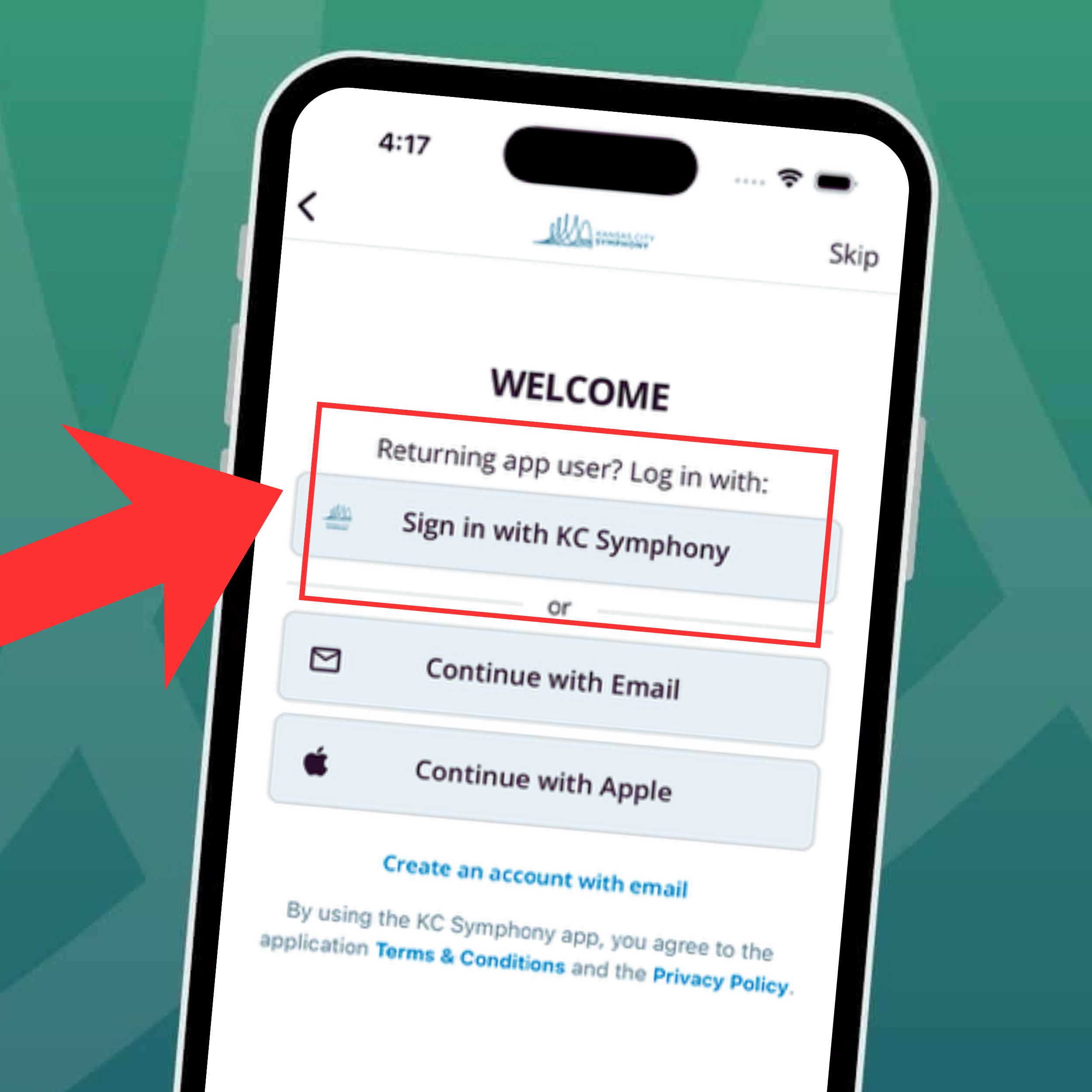
Access your tickets with one account: use your website account to sign in to the KCS app
Beginning September 16, the Kansas City Symphony mobile app will use the same login as your KCS website account.
The app will automatically sign all users out as part of this update. To access your tickets in the app, sign back in with the email address and password associated with your website account. You no longer need a separate app-specific account.
From logging in to accessing digital tickets, check out how you can make the most of the official app of your KC Symphony
Kansas City Symphony Mobile App FAQs
- Search for the “Kansas City Symphony” app on the App Store or Google Play Store and download the app to your device.
- Select Sign In with KC Symphony Account.
- Enter the email address associated with your KCS website account.
- Enter your website account password.
- Access your ticket information in the app.
- Once you have created an account within the Kansas City Symphony app, select the “Tickets” tab at the bottom of your device within the app.
- Select the “Access My Tickets” button.
- Enter the email or kcsymphony.org username associated with your Kansas City Symphony tickets.
- Choose to request an access code to be sent to your email, or login with your kcsymphony.org password.
- Scan your tickets upon entry to your Kansas City Symphony performance, and enjoy the concert!
Need help accessing your tickets? Call our Box Office at (816) 471-0400 and one of our fantastic Customer Relations Representatives will be happy to assist you.
If you do not remember your password, select Forgot Password on the sign-in screen and follow the prompts to reset the password for your KCS website account.
If you use more than one email address, please use the email connected to your KCS website account and ticket purchase. Using another email address may prevent your ticket information from appearing in the app.
On September 16, the app moved to a single sign-on experience. This required all users to be signed out so they can sign back in using their website account.
No. Use the email address and password associated with your KCS website account.
Use the email address associated with your [ORGANIZATION] website account—the account connected to your ticket purchase.
The app provides access to your ticket information.
First, confirm that you signed in with the email address associated with your KCS website account. If your tickets still do not appear, contact the Box Office at 816.471.0400
Select Forgot Password from the sign-in screen to reset the password associated with your website account. Follow the prompts to reset your KCS website password.